Work plus10
Helping workers act before a failure stops the line.
- Role
- UX Designer + Project Lead
- Year
- 2020
- Team
- Two senior UX designers and researchers
- Scope
- Research, product design, branding
- Recognition
- Red Dot 2020 · Focus Open 2020 · German Design Award 2021 nominee
Context
When plus10 came to our agency, there was little more than a plan. The founders wanted to run an algorithm over the central data hub of a production facility and find where tiny deviations in the raw data add up to a major delay in production.
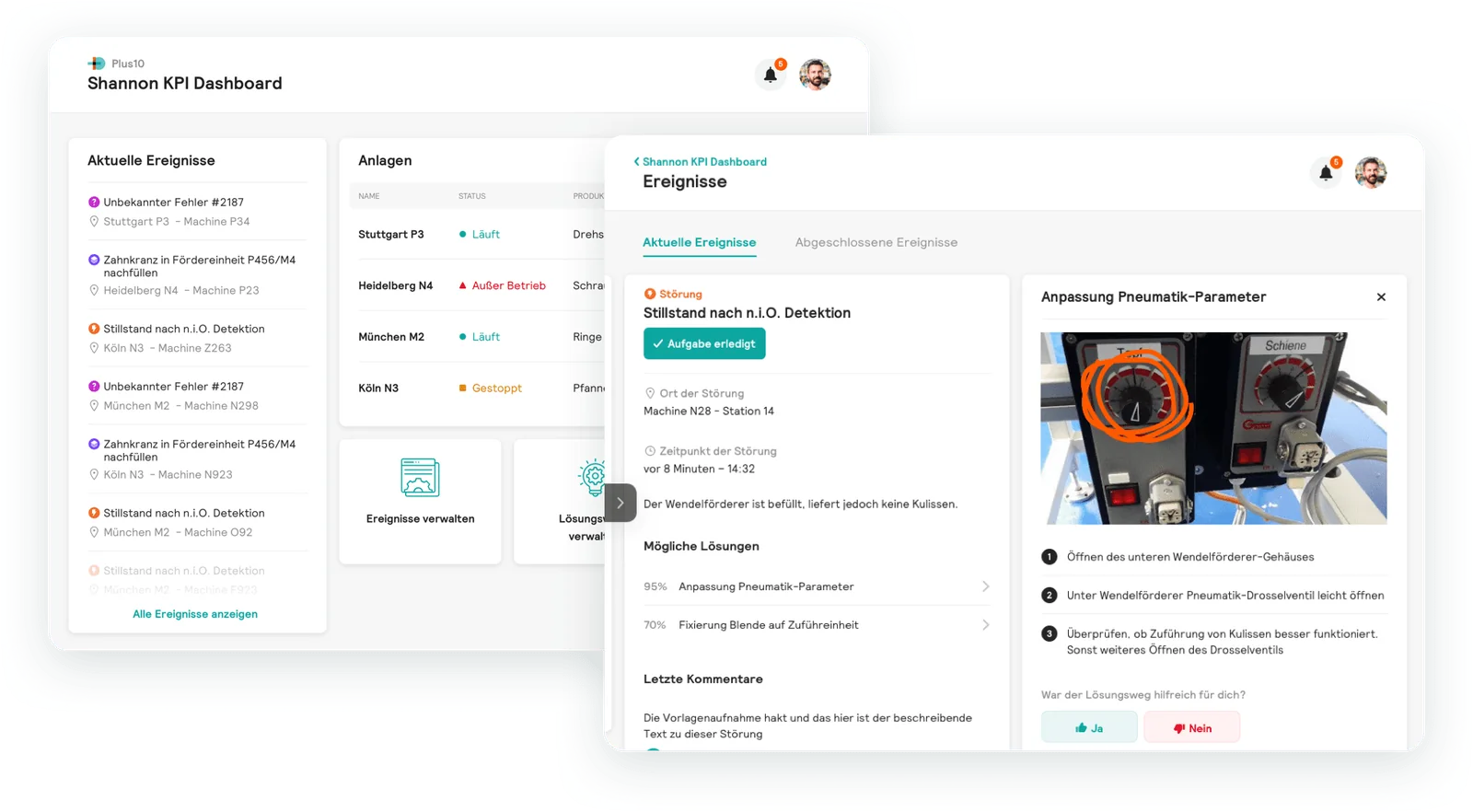
There was no product yet, no defined users and no interface. We started from scratch, and the result became Shannon: a mobile app that shows workers on the shop floor what needs to be done and how, and a dashboard where production management keeps events and solutions up to date.
The challenge
An algorithm can find a pattern in machine data. That alone doesn’t prevent a stoppage. Someone in the plant has to get the information in time, understand it and know what to do, in the middle of a shift and right at the machine.
So the real question wasn’t what the analysis could find. It was who would act on it, and what they would need to do so.
The data was there. Someone still had to act on it.
Going to the shop floor
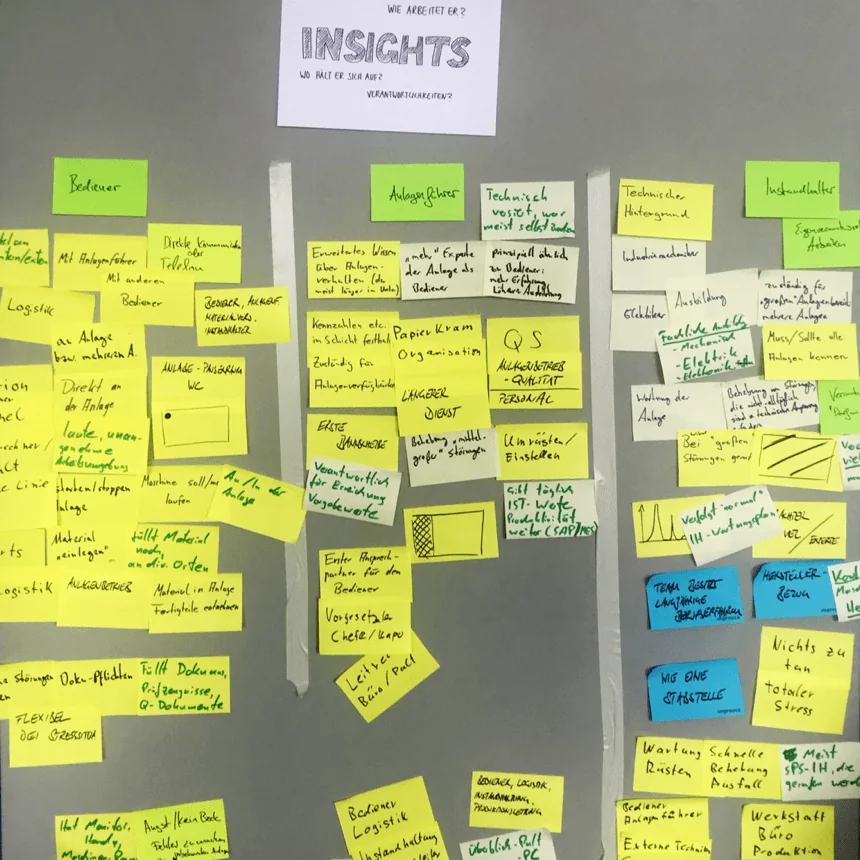
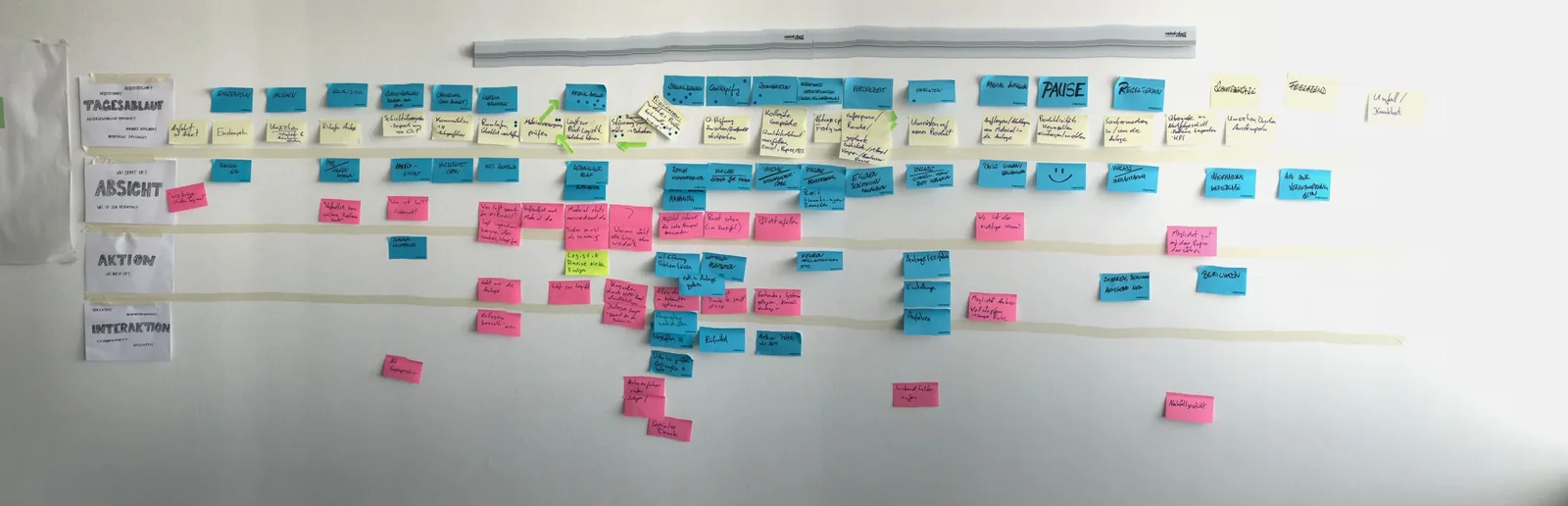
To find out what we needed to build, we went to the production facilities. We interviewed people in the relevant roles and ran shadowing sessions, following workers through their shifts to understand their pain points and the sheer scale of the environment.
Three roles stood out, each with different knowledge and responsibilities: machine operators, line leads and maintenance technicians.
Workshops with the founders
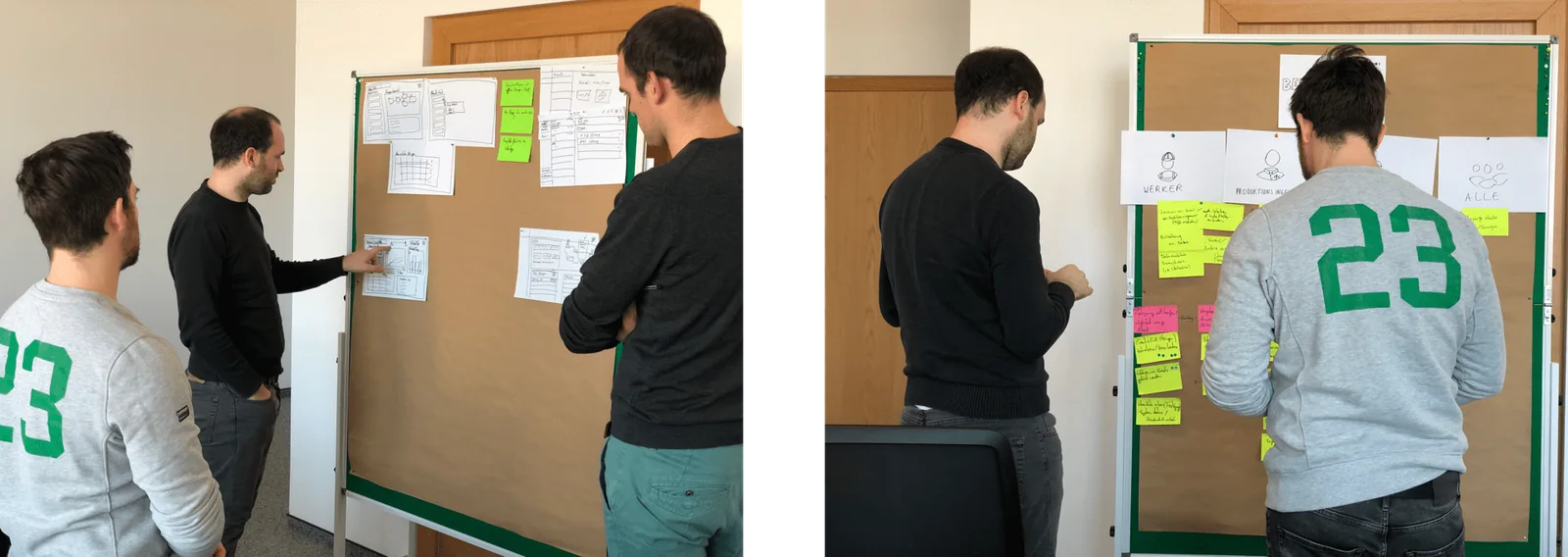
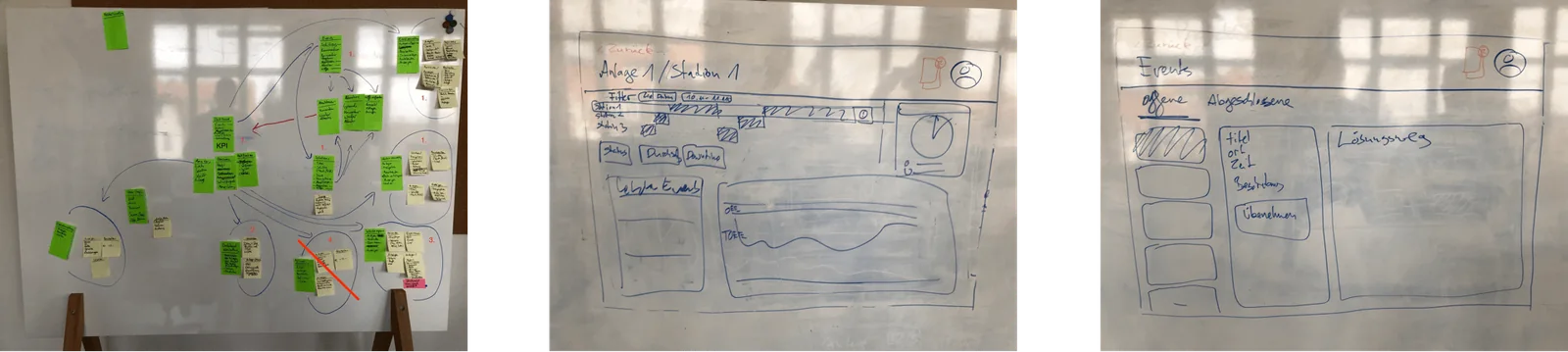
What we learned in the plants became the material for a series of workshops with the founders. Together we worked out the user flow and where the solution they had in mind could actually add value, starting from what a worker needs to know to act on it.
Two products, one loop
Shannon serves two very different situations.
- On the shop floor
- A mobile app for workers: the tasks of the shift, where and when something happened, and step-by-step instructions to fix it.
- In the office
- A dashboard for production management: events and plant status at a glance, and a place to maintain events and their solutions.
The worker app
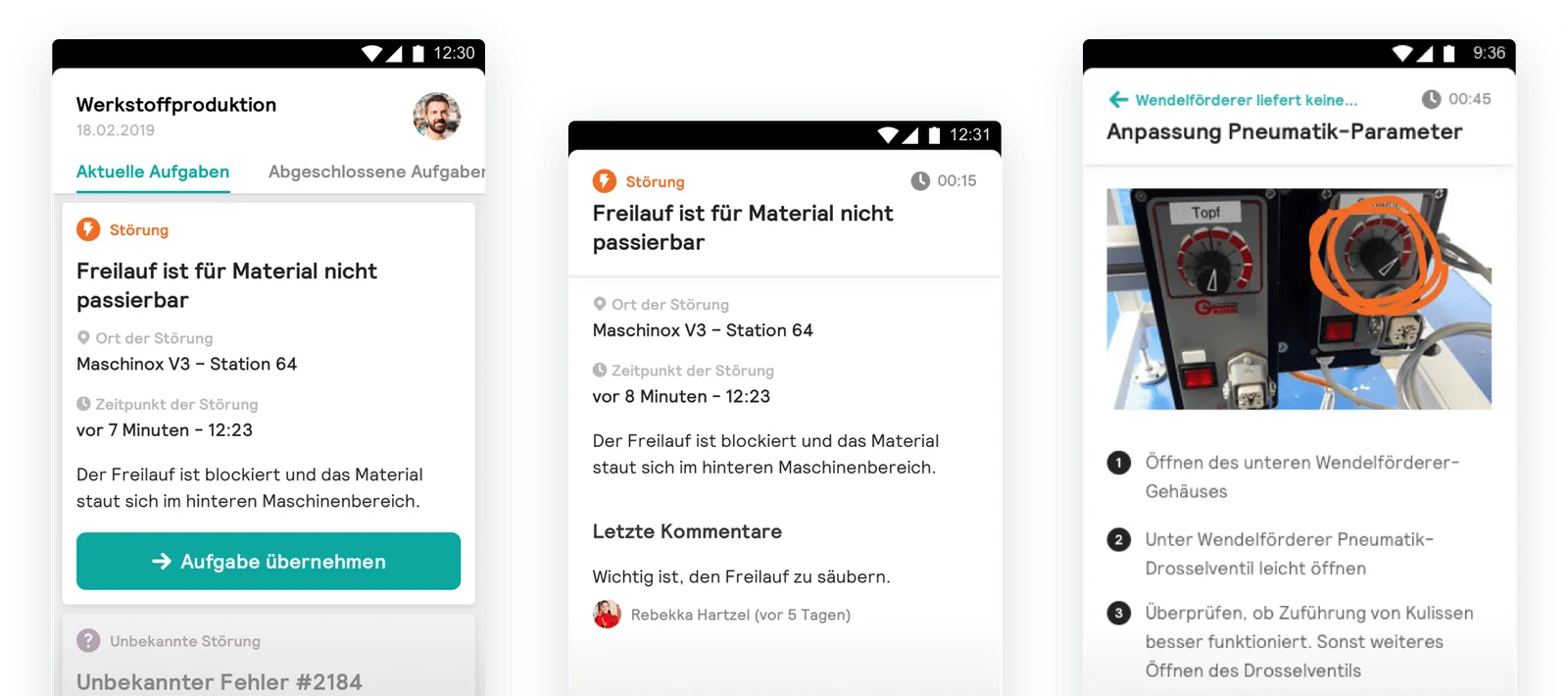
The app shows the current tasks of a shift: a failure, material to refill, an unknown error. The most relevant one comes first, with where and when it happened and what is going on. A worker takes it over and gets the solution as a sequence of steps, with a photo that marks exactly which part to adjust.
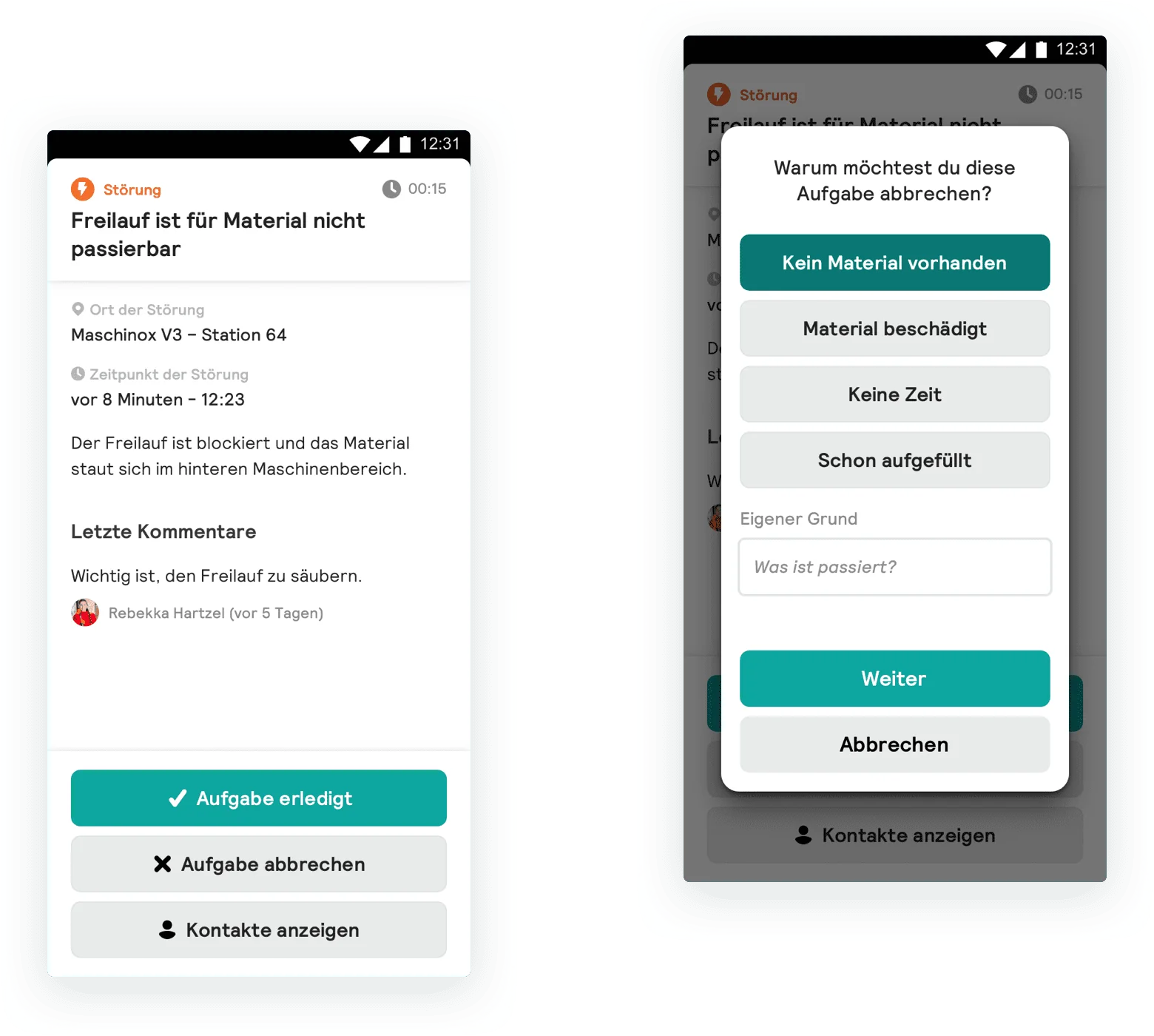
Comments from colleagues stay attached to the task, so experience carries over from one shift to the next. And if a task can’t be finished, giving the reason takes one tap: no material, material damaged, no time, already refilled.
The management dashboard
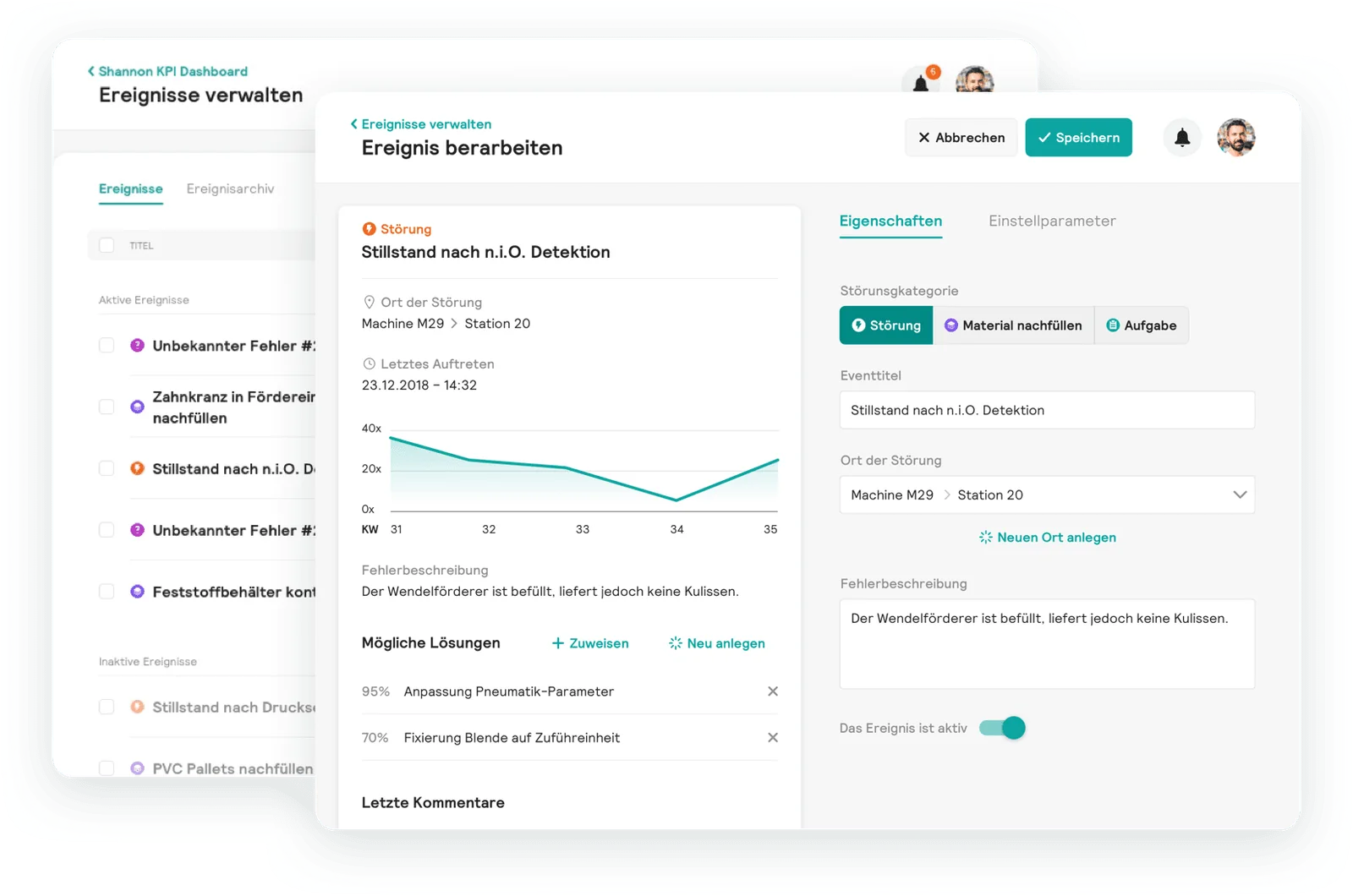
On the desktop, production management sees current events across plants and the status of every line. This is also where the knowledge behind the app is maintained: events are defined and edited, and each event gets its possible solutions, ranked by how likely they are to help.
Solutions are written as steps, with photos. Workers rate whether a solution was helpful, and those ratings show up next to the solution, together with how often it was used and its history of changes.
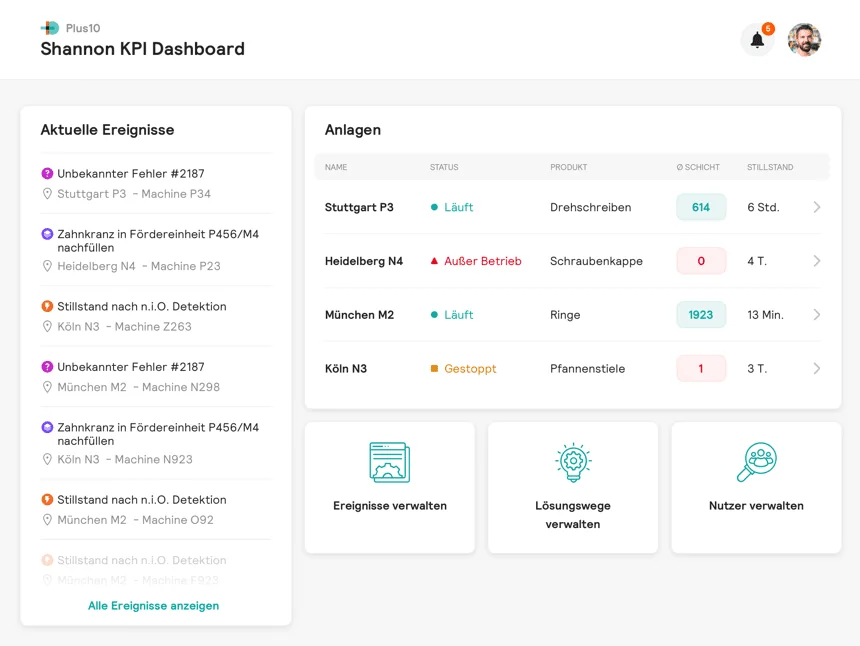
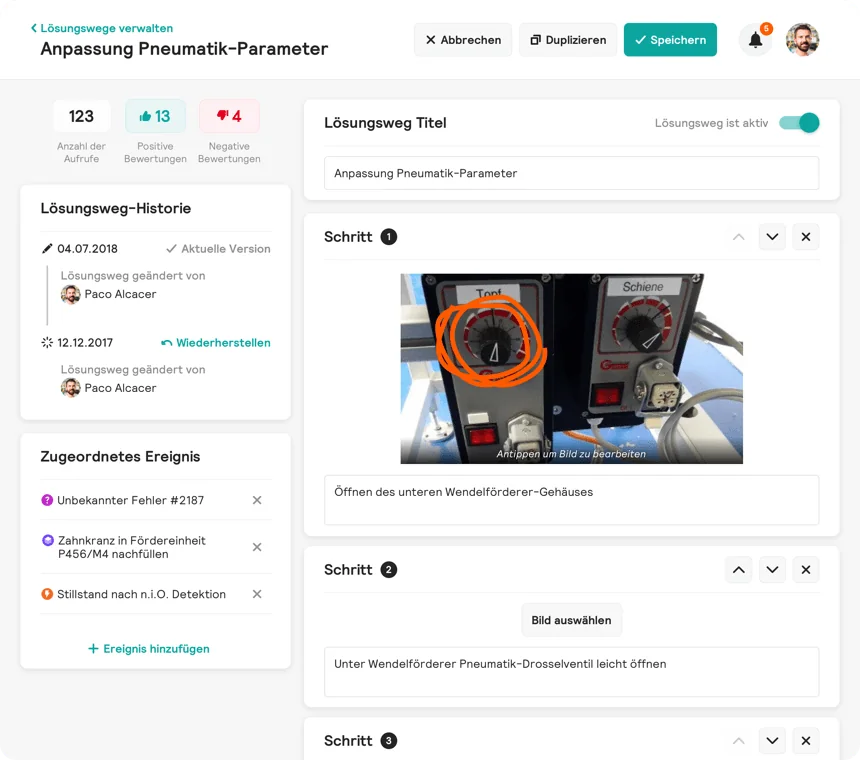
What workers learn at the machine flows back into the instructions for the next shift.
Following through
From there we followed the design process: wireframe testing, an MVP, and testing every iteration. Because we stayed close to the users throughout, we were confident the product was relevant. Feedback from testing backed that up.
“I never believed such a software could be so pleasant to use.”
A user during testing, about software in a production environment.
A visual language
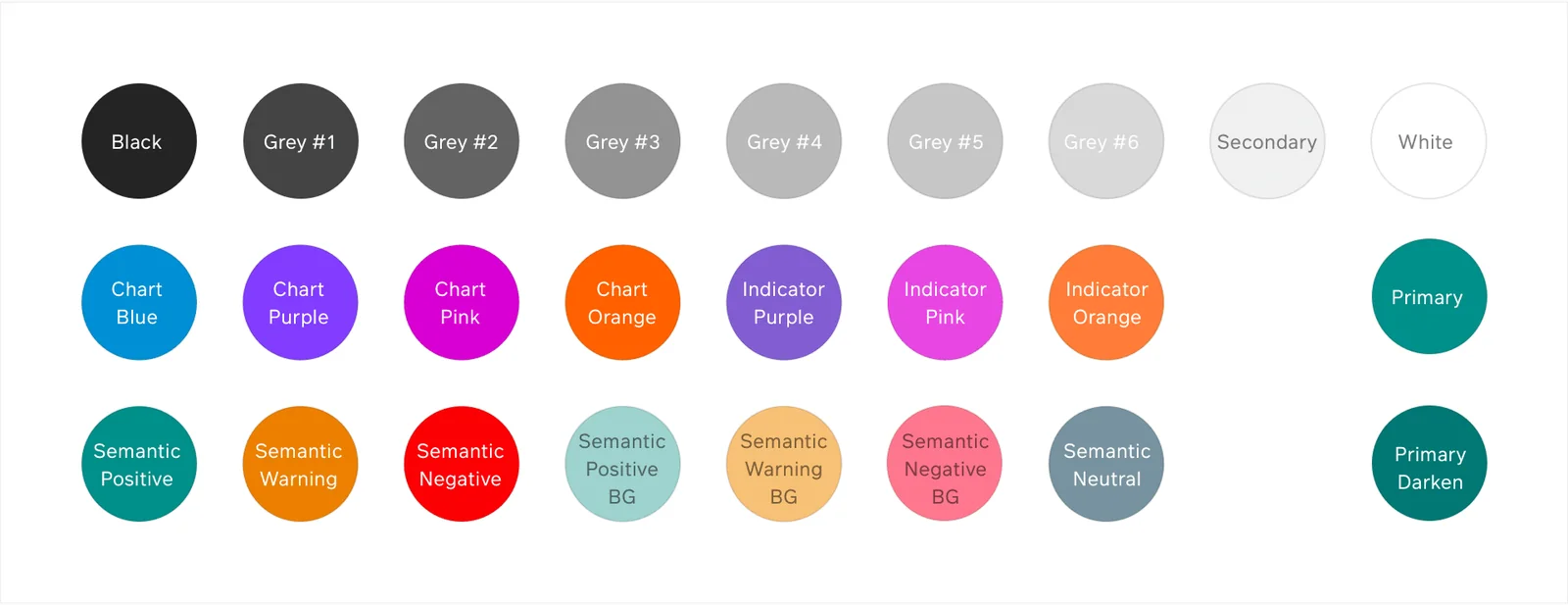
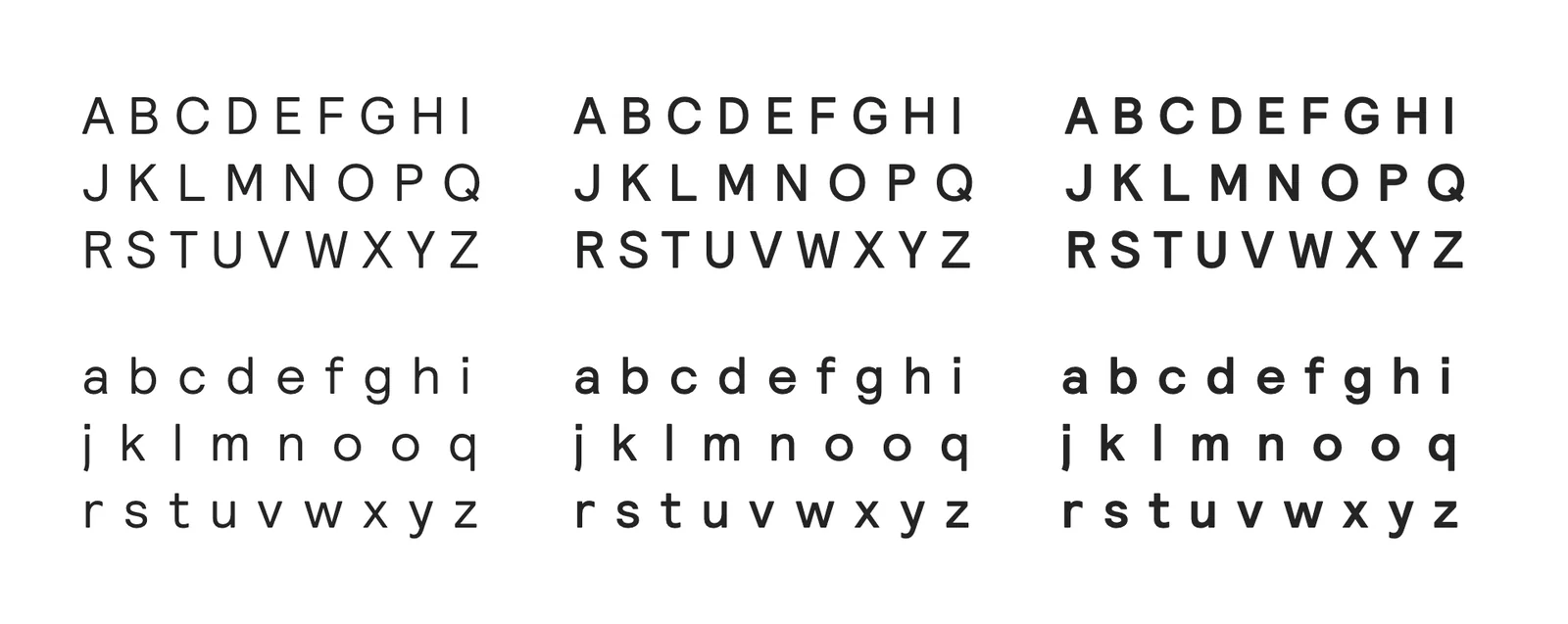
Alongside the product we developed plus10’s branding. In the interface it became a calm, mostly grey system with one teal primary, clear semantic colors for states, and a separate set of colors for charts and indicators.
Outcome
- Design awards
- 3
- Red Dot 2020 winner in interface design, Focus Open 2020 special mention, German Design Award 2021 nominee.
- From idea to product
- 0→1
- Starting with no product, no defined users and no interface.
- Senior UX designers and researchers
- 2
- A small team, close to the founders and to the users.
During our collaboration the startup grew steadily into a scale-up, a clear sign that the product had found its market.
Florian’s impressive working attitude, deep UX knowledge, structured approach, and open-minded communication style stood out. He quickly grasped our end users’ needs and boundaries, developing transformative concepts that led to winning the red dot interface design award. I highly recommend working with him.
 Felix MüllerFounder, plus10